 cinemasetfree.com
Scripts Overview
A Script in CSF is a Fountain-format screenplay attached to your project. Importing one automatically creates Scenes, Characters, Locations, and Wardrobes — so most of your project data traces straight back to the script.
The Scripts Tab
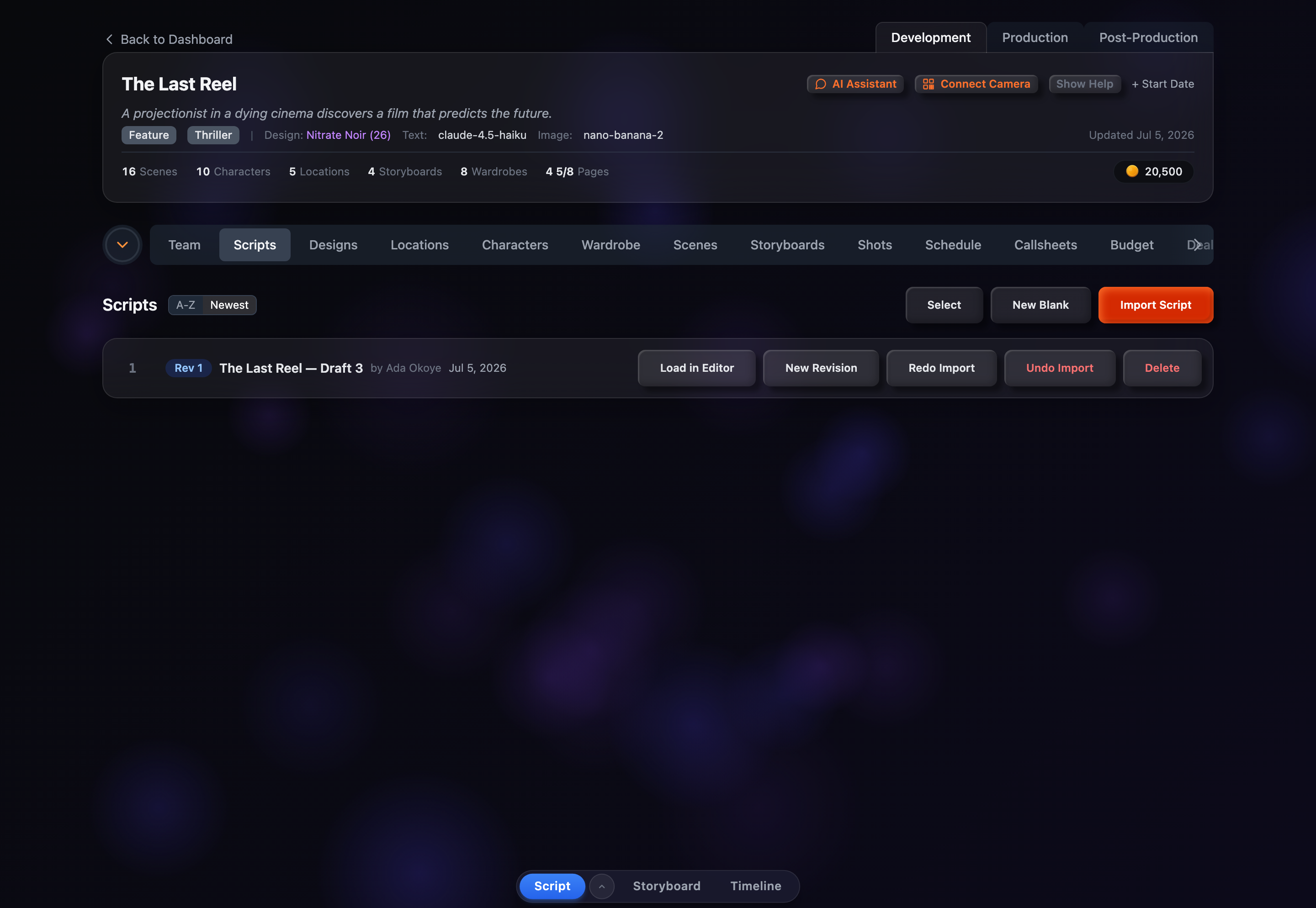
The Scripts tab, under the Development section of a project, is where you manage every screenplay attached to that project. Each row shows a revision badge, the script title, its author, and when it was last updated, plus per-script action buttons on the right. Along the top you have sort controls and the Select, New Blank, and Import Script buttons.
What Is a Script?
In CSF, a script is a screenplay stored in Fountain format — the plain-text markup standard used by screenwriters. Files you import in other formats (Final Draft .fdx or .pdf) are converted to Fountain on the way in. Each project can hold multiple scripts, and each script can have multiple revisions so you can track changes over time.
Most scripts come from importing an existing screenplay, but you don't have to start with a file. The New Blank button creates an empty, untitled script and drops you straight into the editor to write from scratch.
How Scripts Connect to Everything
Importing a script kicks off a chain of automatic data creation:
Because so much flows from the script, re-importing keeps your project in sync with the latest draft, and undoing an import cleanly removes the scenes, characters, and locations it created.
Revisions
Each script carries a revision number, shown as a colored badge on its row. Choosing New Revision copies the current script and bumps the number, linking the copy back to the original via parentScriptId. This lets you keep a history of drafts without overwriting earlier versions, and you can filter the list down to a single revision when several exist.
Scripts vs Sides
CSF distinguishes two document types: Scripts (full screenplays) and Sides (partial scripts or audition pages). Sides are marked with a pink Sides badge on their row. Both are imported and managed the same way, and once your project contains sides a type filter appears so you can show scripts only, sides only, or both.