 cinemasetfree.com
Browsing & Filtering Scripts
The Scripts tab has sort and filter controls to find what you need — toggle between name and date order, filter by type or revision when those apply, and flip on Show Deleted to review and restore removed scripts.
The Script List
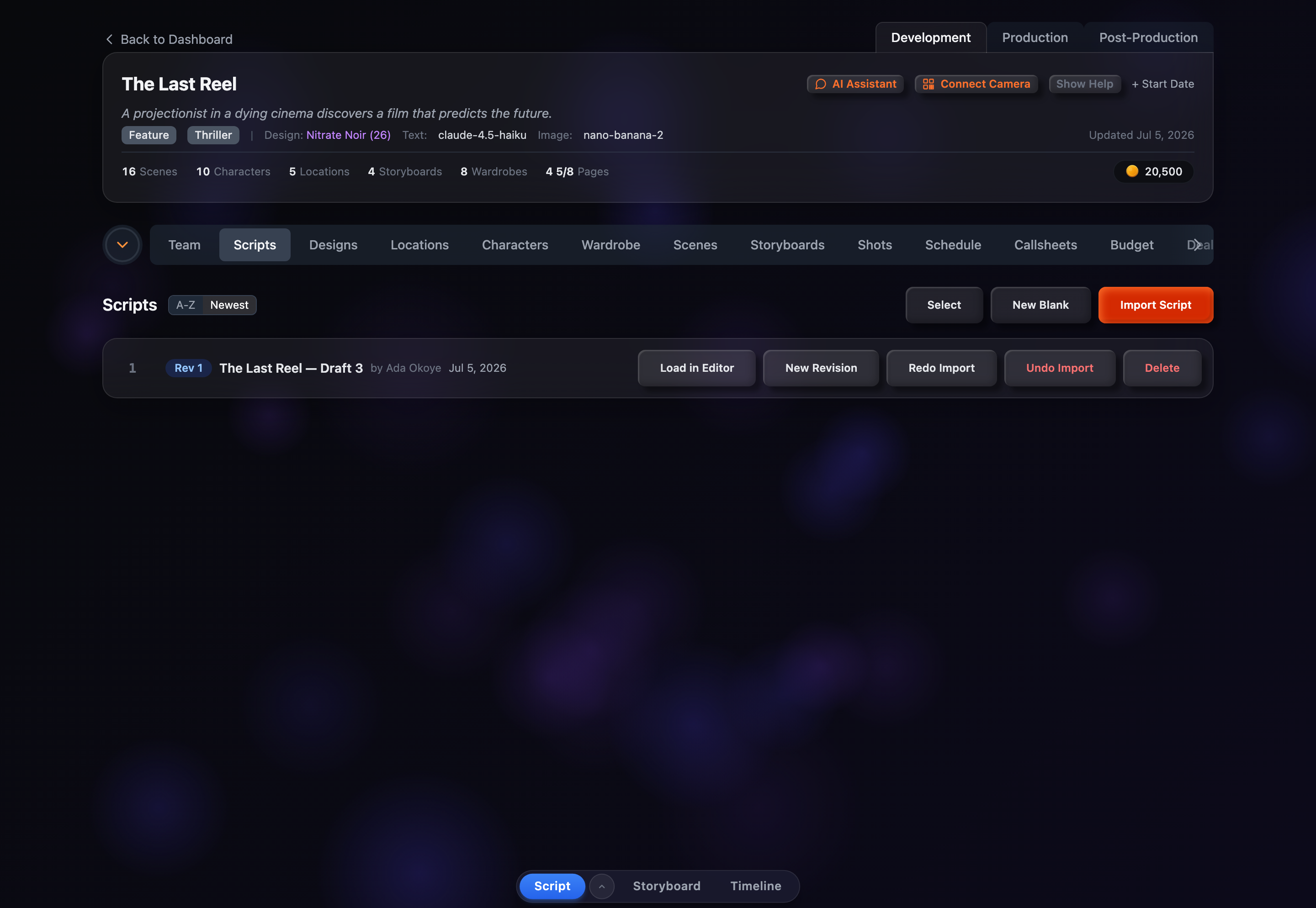
Each script row shows, from left to right:
- Position number — The row's index in the current list.
- Revision badge — A colored badge with the revision number (e.g., "Rev 1"). The color rotates as the revision number climbs.
- Title — The script's name.
- Author — Shown as "by <name>" when the script has an author.
- Sides badge — A pink "Sides" badge, shown only on sides. Full scripts carry no type badge.
- Deleted badge — A red "Deleted" badge, shown on soft-deleted scripts while Show Deleted is on.
- Date — When the script was last updated.
Sorting
Next to the "Scripts" heading are two sort toggles — one for name and one for date. Clicking a toggle activates it and flips its direction, so between them you get four orderings:
A → Z
Alphabetical by title, ascending.
Z → A
Alphabetical by title, descending — click the name toggle again to flip it.
Newest
Creation date descending — most recently added scripts first. This is the default.
Oldest
Creation date ascending — click the date toggle again to flip it.
Your chosen sort is remembered between visits. On narrow screens these toggles move into the Options dropdown at the top of the tab.
Filtering
Two filter dropdowns appear only when they're relevant, so they stay out of your way until they're useful:
Filter by Type
Appears once the project contains any sides. Choose All Types, Scripts Only, or Sides Only to separate full screenplays from audition pages.
Filter by Revision
Appears once more than one revision number exists. Pick All Revs or a specific "Rev N" to focus on a single draft.
Show Deleted
Appears once at least one script has been deleted. Toggling it on switches the list to show only soft-deleted scripts — dimmed, with a struck-through title, a "Deleted" badge, and a Restore button. Toggle it off to return to your active scripts.