 cinemasetfree.com
Errands Overview
Errands is a simple task board for the things a production sends people out to do. Each errand has a title, an address, an optional assignee from your team roster, an optional due time, and free-text notes. Errands sit in one of three columns — Assigned, En route, and Done — and the runner working the errand can push status updates from the mobile Runner app. It lives in the Production stage, so it’s a PRO feature.
What Is an Errand?
An errand is a single address-based task you hand to a runner. Every errand stores a title (what to do, e.g. “Pick up lenses”), an address (where to go, shown on the card with a pin), an optional assignee chosen from your project’s team roster, an optional due date and time, and any notes the runner should know. Title and address are the only required fields — everything else is optional.
The Errands Board
The tab opens on a three-column board. From left to right the columns are Assigned, En route, and Done, and each column header carries a count badge of how many errands are in it. Above the board, a small summary reads “N open · N done” — open tallies everything in the Assigned and En route columns, and done counts the Done column. A column with no errands in it shows “Nothing here.”, so a brand-new production opens to an empty board by design.
Where It Lives
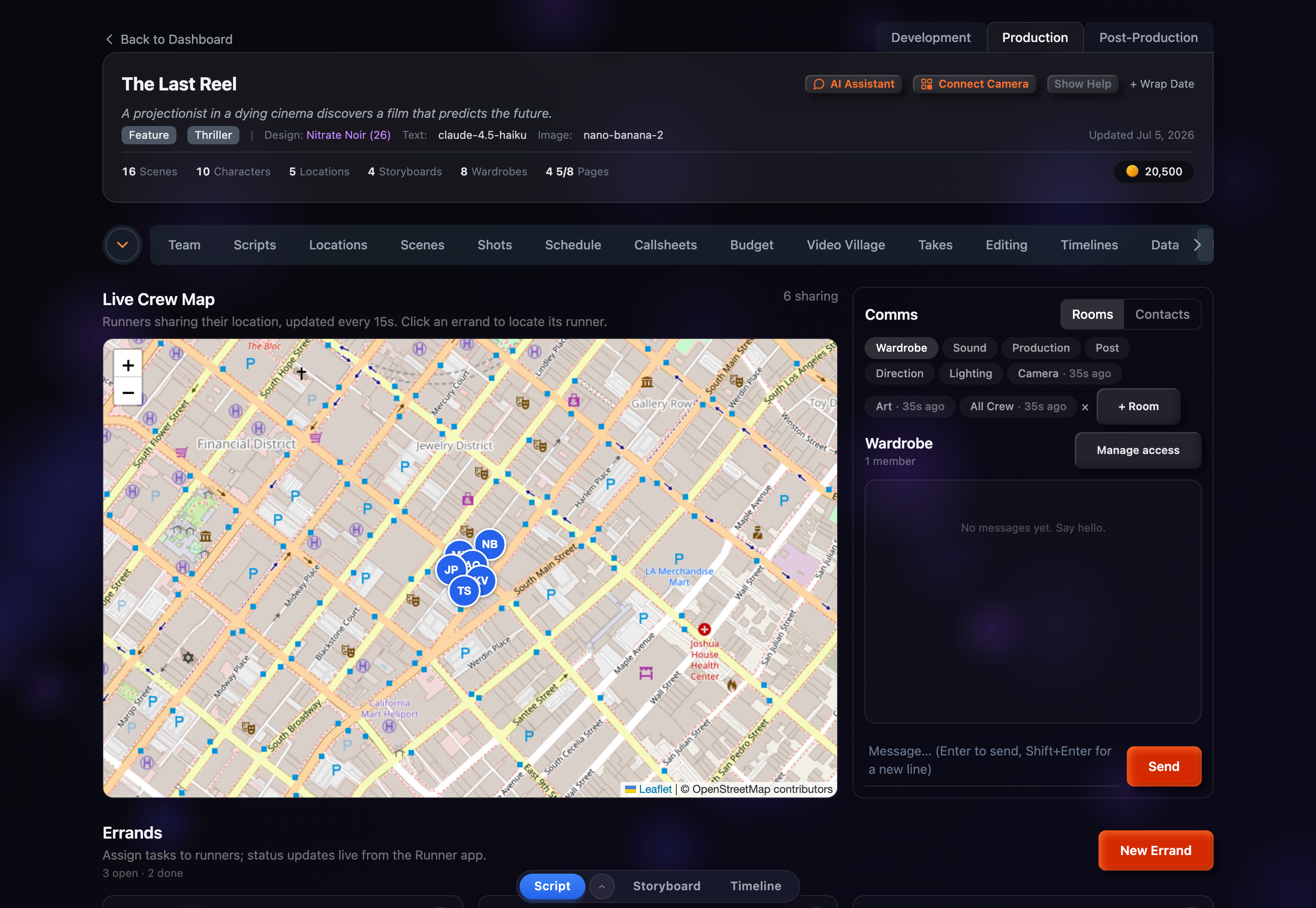
Errands is a tab in your project dashboard, labeled Errands. It only appears while a project is in the Production stage, next to the other on-set tools — the Crew Map and Comms. Because Production is a PRO stage, the tab is gated behind a PRO plan. The board is built for the same moment as the Crew Map: once the shoot is rolling and you need to send people out to collect, drop off, and fetch.
How It Connects to the Runner App
You create and assign errands here on the web, but the runner working an errand sees it in the mobile Runner app and marks their own progress from there. Those status changes flow back to this board: it re-checks for updates every 15 seconds, the same cadence as the Crew Map, so an errand can move from Assigned to En route to Done without you touching anything. Assigning an errand to a teammate who hasn’t paired a device yet is allowed — but until they do, it won’t show up for them in the Runner app.