 cinemasetfree.com
Your First Deal Memo
TL;DR — Open the Deals tab, click a crew member who has no memo yet (or New Deal Memo), fill in the terms, review the clauses, and save the draft. Then Send it for signature — your first contract is ready in minutes.
The Deals Tab
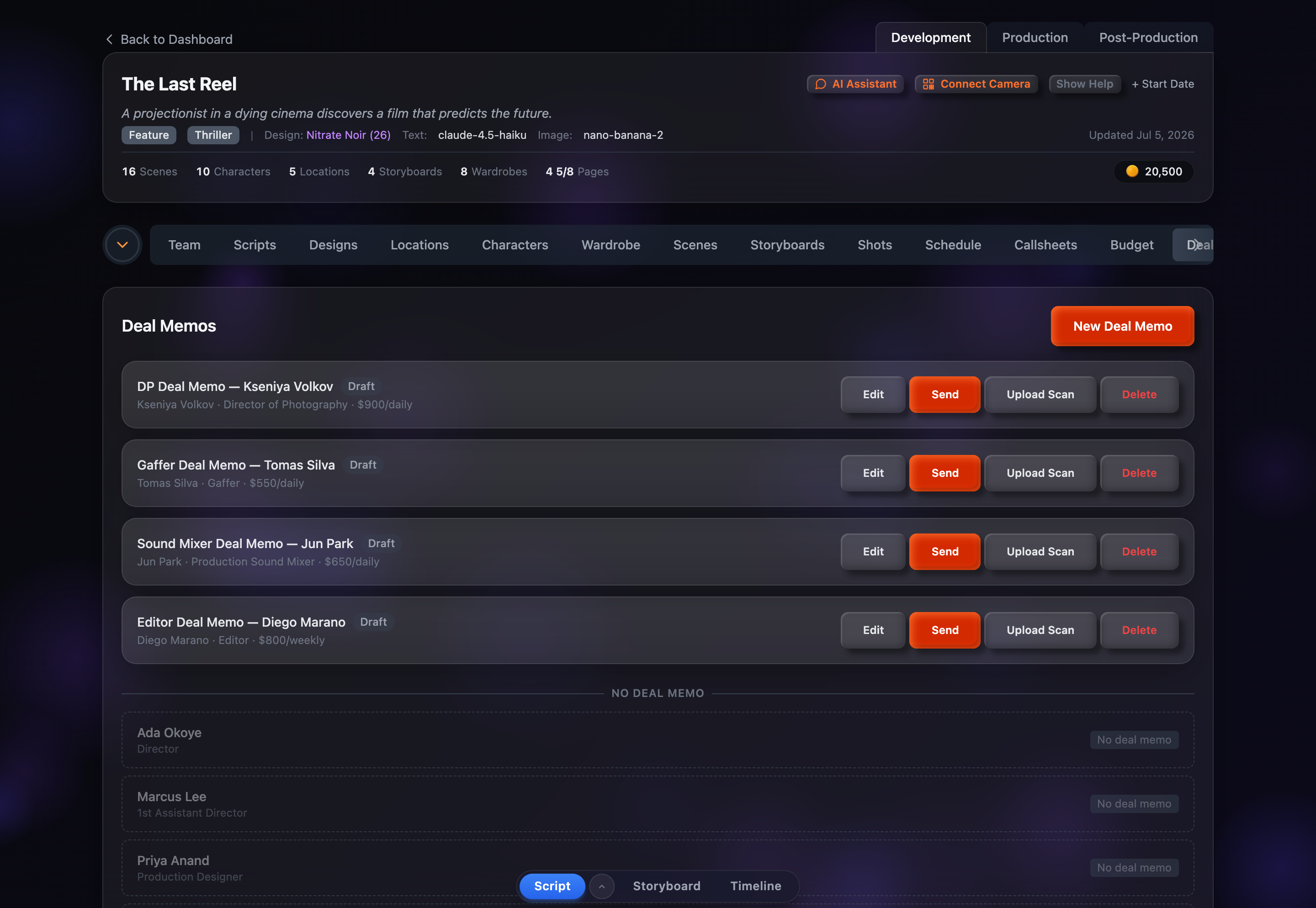
Open a project and go to Development → Deals. The tab is titled Deal Memos and lists every memo for the project as a card — each showing the title, the crew member, their role, the rate, and a color-coded status badge. When there are no memos yet you’ll see “No deal memos yet. Create one to get started.”
Deal Memos are a Pro feature, so the tab is available on paid plans.
Crew Without a Memo
Below the active memos, a No Deal Memo divider lists the team members from your Team tab who don’t have a deal memo yet. Each is shown as a faded row with a “No deal memo” tag, so it’s easy to spot who still needs papering. Click any of these rows to jump straight into the builder with that person — their name, role, and credit already filled in.
The 4-Step Builder
Click New Deal Memo (or pick someone from the “No Deal Memo” list) to open the builder. A breadcrumb at the top tracks your progress through four steps:
- 1Member — Pick the team member this deal is for. (Starting from the “No Deal Memo” list skips straight to Terms with the member already selected.)
- 2Terms — Fill in compensation, kit rental, schedule, credit, union, and working-conditions details, then click Create Draft & Continue. This creates the draft and auto-generates its clauses.
- 3Clauses — Review the generated contract clauses, grouped by category. Toggle any on or off and edit their wording inline.
- 4Preview — See the finished memo exactly as it will read. Export a PDF, or click Done to return to the list.
The memo’s title is generated automatically from the role and member name (for example “Director of Photography Deal - Jane Doe”). You can leave the builder at any point with Cancel; once the draft is created your work is saved.
Status Lifecycle
Every deal memo moves through four statuses, shown by its badge:
- Draft — Created but not yet sent. You can still edit terms and clauses freely; only drafts are editable.
- Sent — A signing link has been generated and emailed to the crew member. Waiting for them to sign.
- Signed — The crew member has reviewed and signed. Waiting for the producer to countersign.
- Countersigned — Fully executed. Both signatures are on file and the PDF is ready to export.
Each card only shows the actions that make sense for its status — a draft offers Edit and Send, a sent memo offers Sign and View, a signed memo offers Countersign, and a countersigned memo offers PDF.
Quick Walkthrough
- 1Open the Deals tab and click a crew member from the “No Deal Memo” list.
- 2Fill in their rate, dates, and credit, then click Create Draft & Continue.
- 3Review the auto-generated clauses, toggling any extras on or off.
- 4Preview the memo, then click Done to return to the list.
- 5On the memo’s card, click Send to email the signing link to the crew member.