 cinemasetfree.com
Exporting & Managing
TL;DR — Export any memo as a PDF, attach a scanned copy of a paper-signed deal, and soft-delete deals you no longer need — nothing is ever permanently lost.
PDF Export
An Export PDF link appears in the memo preview — both on the builder’s Preview step and when you open a sent, signed, or countersigned memo with View. Once a deal is fully executed, its card in the list also gets a quick PDF button. The generated PDF can be reached two ways:
- Authenticated — Through the app, by the memo’s ID. Only project members can access it.
- Public via signing token — The crew member can download the same PDF from their signing link, no account needed.
What’s in the PDF
The exported PDF is a complete contract record:
- 1Header — Project name and the deal title, with the parties’ details.
- 2Key terms — Rate, dates, credit, and the rest of the deal points laid out clearly.
- 3Numbered clauses — Every included clause, with its placeholders filled in.
- 4Signature blocks — The artist and producer signature images with names and dates.
Uploading a Signed Copy
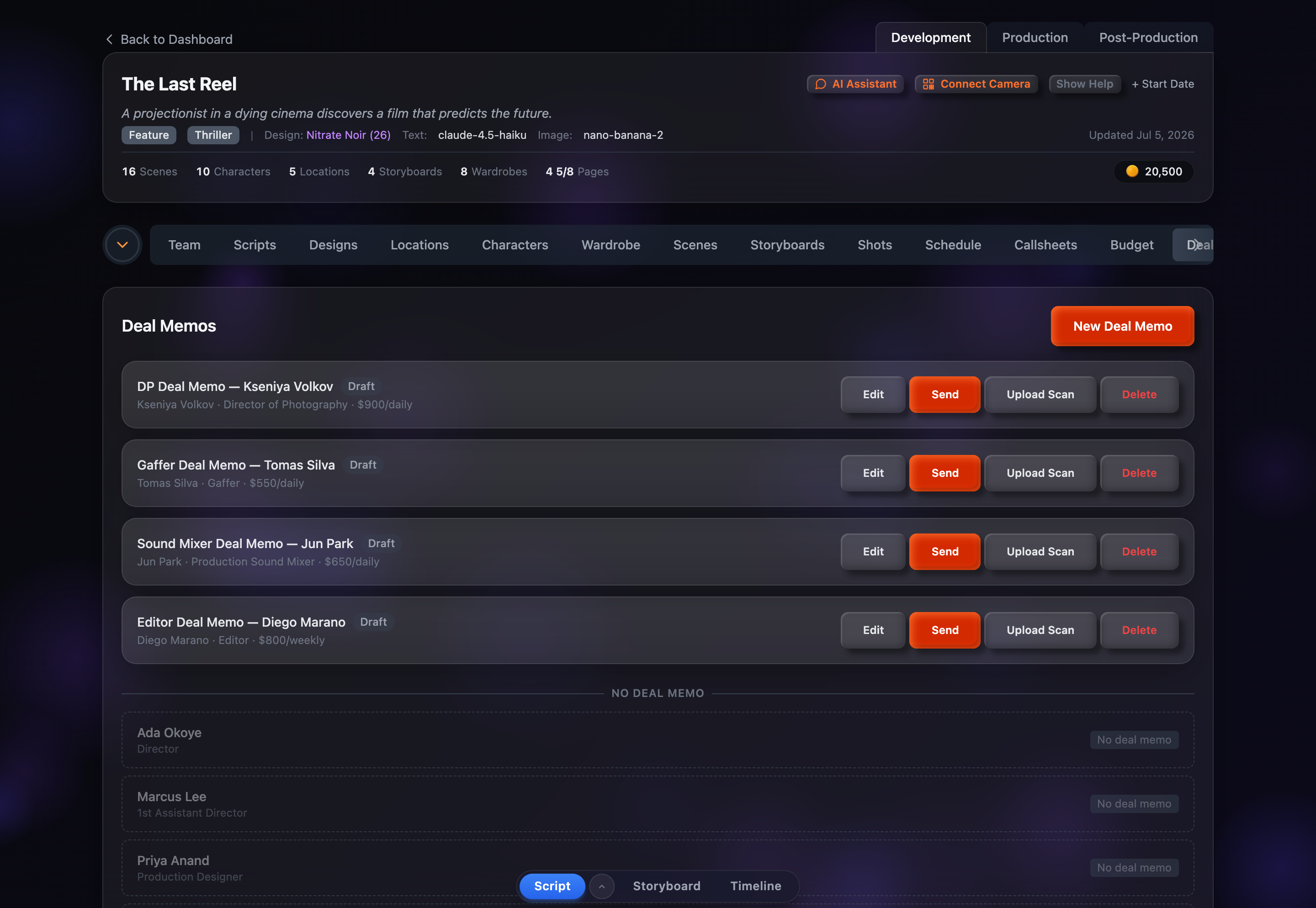
For deals signed on paper or outside the electronic flow, use Upload Scan on the memo card to attach a scanned or photographed copy. This keeps a digital record alongside the generated memo.
- Accepted formats — PDF, JPEG, PNG, HEIC/HEIF, TIFF, and WebP, up to 15 MB. PDFs are stored as-is; image files (including HEIC photos from iPhone) are converted to WebP for storage.
- Scan badge — A blue “Scan” pill appears on the card once a document is attached.
- View Scan — Opens the uploaded document in a new browser tab.
- Replace Scan — The button changes to “Replace Scan” so you can upload a newer version any time.
Soft-Deleting Memos
Deleting a memo is never permanent. The Delete button moves it to trash — you’re asked to confirm, and told you can restore it later. To work with deleted memos:
- A Show Deleted toggle appears in the header once at least one memo has been deleted. Turn it on to see them (and Show Active to switch back).
- Deleted memos are dimmed and carry a red “Deleted” badge. Click Restore on any of them to bring it back to the active list.
Tips
- Export after countersigning — Wait until the deal is fully executed so the PDF captures both signatures.
- Share via the signing link — Crew members can grab their PDF straight from the signing page without an account.
- Keep the list tidy — Soft-delete test memos or abandoned deals; you can always restore them later.