 cinemasetfree.com
Bulk Operations
Enter select mode to check multiple characters, then use the toolbar that pins to the top of the list to delete, combine, describe, or generate portraits for the whole selection at once.
Entering Select Mode
Click Select in the tab header to enter select mode — or just click any row’s number, which enters select mode and checks that row in one go. In select mode each row’s number becomes a checkbox with a pulsing border; click a checkbox to toggle it. Click Cancel to leave select mode and clear the selection.
The Bulk Toolbar
As soon as you’re in select mode, a toolbar appears above the list and stays pinned to the top as you scroll. It carries these actions:
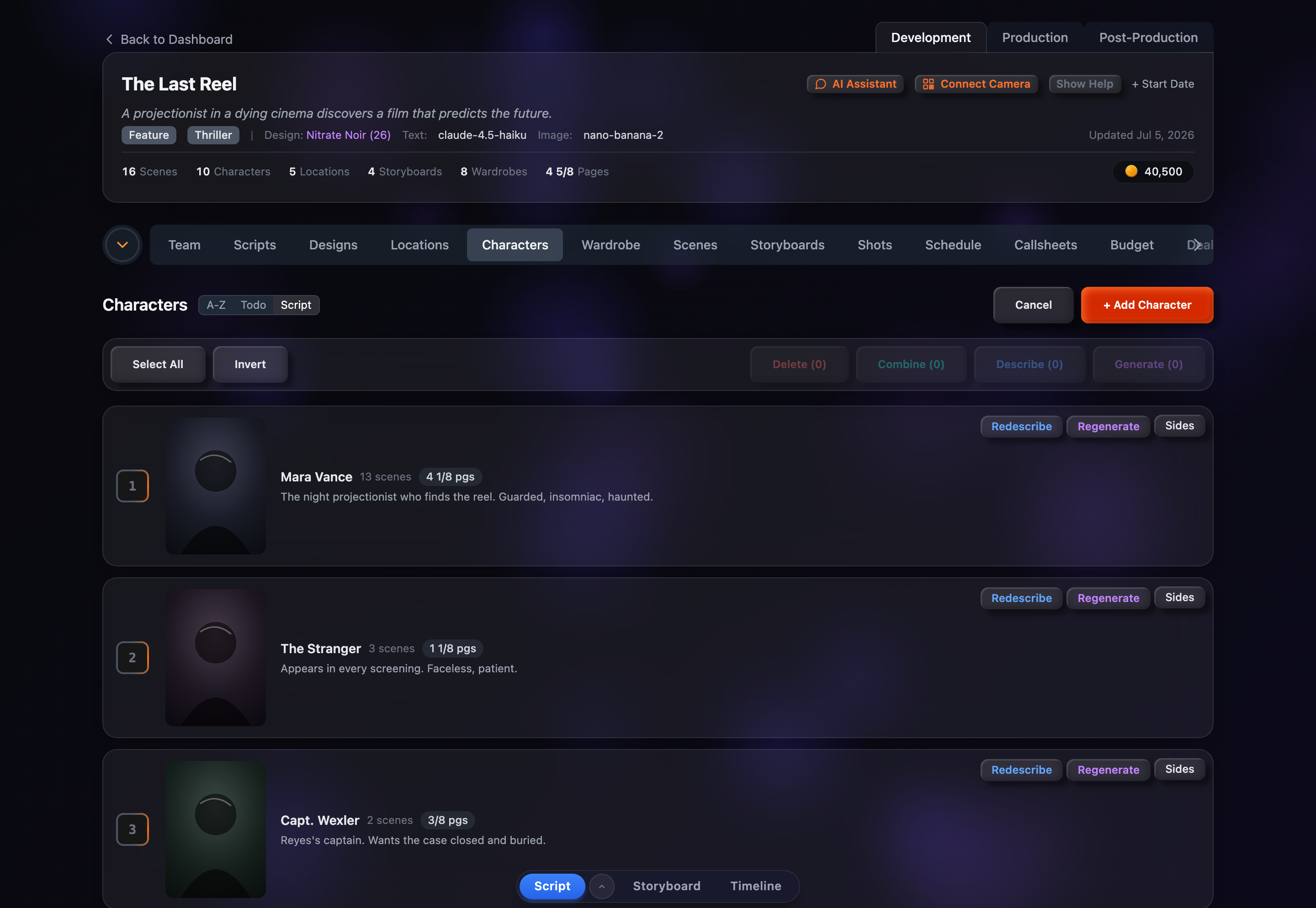
Select All / Deselect
Check every character in the list; once all are checked the button flips to Deselect to clear them.
Invert
Flip the selection — checked rows become unchecked and vice versa.
Delete (count)
Soft-delete every selected character after a confirmation dialog. Deleted characters can be brought back later from the Show Deleted view.
Combine (count)
Merge two or more selected characters into one. Enabled once at least two are checked.
Describe (count)
Auto-write descriptions for the selection using AI. Characters that already have a description are skipped, and a live counter reads “Describing X/Y…” as it works through the rest.
Generate (count)
Open the portrait modal in bulk mode to generate a portrait for every selected character in one batch.
Combining Duplicates
Script parsing sometimes creates near-duplicates (say “BARTENDER” and “BAR TENDER”). Select them and click Combine to open a dialog that lists each character with its scene count and pre-fills the merged name with whichever has the most scenes. Confirm to merge all their scene links onto a single character; the others are soft-deleted, so nothing is lost if you need to undo.
Bulk Portrait Modal
The bulk portrait modal is a stripped-down version of the single-character one. Key differences:
- No image preview — you’re generating for many characters, so there’s no single image to show
- No prompt editor, upload, or version browsing — those only apply to an individual character
- Info text — a note explains that each character gets an auto-generated prompt from their own script context and description, with the design’s style applied to all
- “Generate N Characters” button — shows how many portraits the batch will produce
The aspect ratio you pick here, along with the active design’s style and model, applies to every portrait in the batch. An estimated credit cost for the whole run is shown before you start.
Generating Sides Per Character
Once the project has a full (non-sides) script, each character row also shows a Sides button. Clicking it produces an audition sides script for that character — the subset of the screenplay containing the scenes where they have dialogue — and opens it in the project’s script editor.
If sides for that character already exist, a “Sides Already Exist” dialog asks whether to Load Existing (reopen the saved sides) or Regenerate (rebuild them from the current script). This is a per-row action, handy for prepping casting and auditions one character at a time.