 cinemasetfree.com
Adding & Editing Characters
Add characters manually with the “+ Add Character” button, edit descriptions inline by clicking any row’s description text, and use the row’s Describe button to let AI write a physical description from script context.
Adding a Character
Click the + Add Character button in the top-right of the Characters tab. An inline form drops in above the list with two fields:
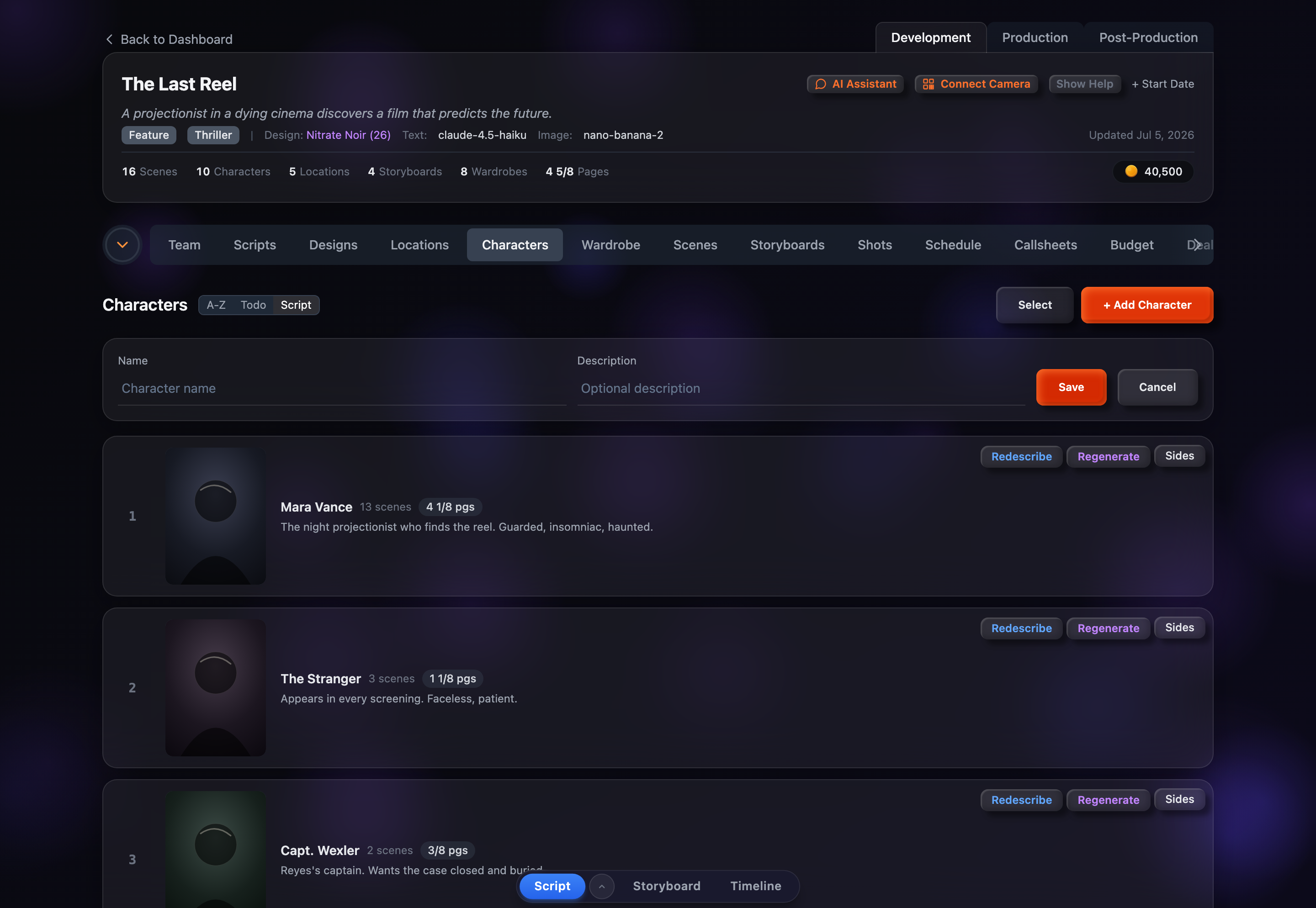
- Name (required) — The character’s name; the cursor lands here automatically
- Description (optional) — A physical or personality note you can fill in now or leave blank
Click Save to create the character, or Cancel to discard the form. The new character is added to the list immediately and takes its place according to the current sort order — under the default Script sort, a brand-new character with no scene appearances yet sorts to the bottom until it’s linked to scenes.
Editing a Description Inline
Every character row carries its description directly beneath the name. Click the description text — or the “Click to add description…” placeholder when there isn’t one yet — to switch that row into edit mode. Type your changes, then press Enter or click away to save. Press Esc to cancel without saving.
The description is what feeds portrait generation, so it’s worth keeping accurate — the same text is offered as the editable prompt when you open the portrait modal.
AI Descriptions with the Describe Button
Each character row has a Describe button (it reads Redescribe once a description already exists). Clicking it sends the character’s name and script context to an AI model, which writes a concise physical description and drops it straight into the row.
This is the fastest way to fill in a cast after a script import when you have dozens of characters and no descriptions yet. Run it on one character at a time from the row, or use bulk Describe to process a whole selection at once.
Describing uses credits from your account. Running Redescribe overwrites the current text, so review the result and tweak it inline if needed.