 cinemasetfree.com
Browsing & Sorting Characters
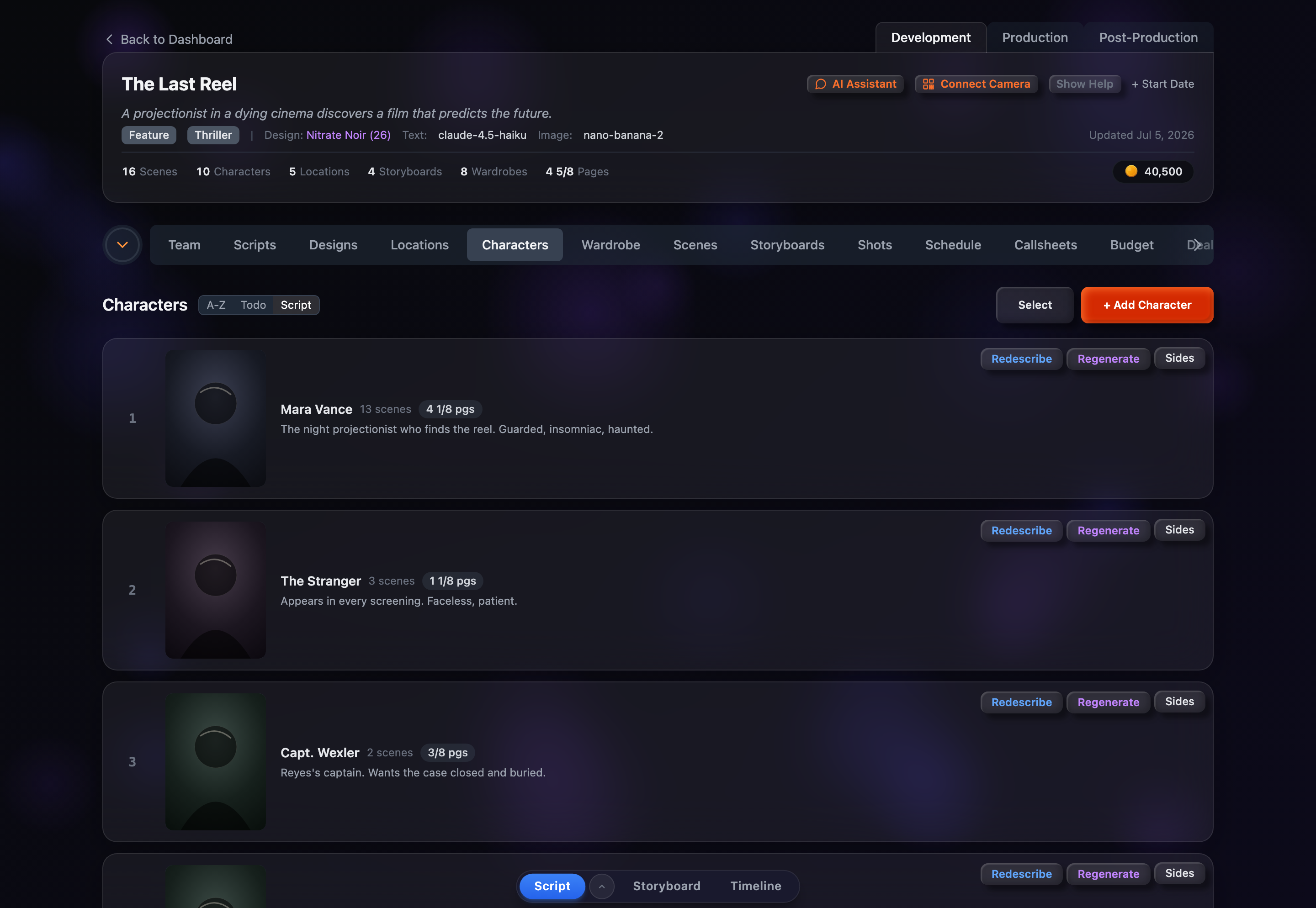
Each character row shows a portrait thumbnail, name, scene count, page eighths, and description. Sort with the A-Z, Todo/Done, and Script toggle, and reveal soft-deleted characters with the Show Deleted button.
What Each Row Shows
Every character is displayed as a card-style row carrying the following:
- Row number — The character’s position in the current sort order; clicking it drops you into select mode with that row checked
- Portrait thumbnail — The generated or uploaded portrait, or a gray placeholder showing the character’s first initial (with a small purple image icon hinting you can generate one)
- Name — The character’s name
- Scene count — Shown only when the character appears in at least one scene
- Page eighths — A badge with the character’s total measured in eighths of a page, shown when there’s a non-zero total
- Description — The physical description, or a clickable placeholder if none exists yet
- Row actions — Describe, Generate, and (when a full script exists) Sides buttons
- Deleted badge + Restore — Shown on soft-deleted characters while “Show Deleted” is on
Sort Options
The sort toggle sits next to the Characters heading. Each button is a toggle — click the active one again to flip its direction. Your choice is saved to your browser, so it persists across sessions.
A-Z / Z-A
Alphabetical by name. Click once for A-Z (ascending); click again to flip to Z-A.
Todo / Done
Todo floats the least-complete characters — those still missing a description or a portrait — to the top. Click again for Done, which puts the fully-finished ones first.
Script
Story order — characters are listed by the scene in which they first appear. This is the default.
Show / Hide Deleted
A Show Deleted button appears in the toolbar whenever the project has at least one soft-deleted character. Toggle it on to reveal them: deleted rows show dimmed, with a red Deleted badge and a green Restore button that brings the character back to active. Toggle it off to hide them again.
On Smaller Screens
On narrow viewports the sort toggle and toolbar buttons collapse into a single Options dropdown next to + Add Character. It holds the same sort choices, the Show Deleted toggle (when applicable), and Select — so every action stays reachable on mobile.