 cinemasetfree.com
Editing Shots
TL;DR — Set a shot type from the dropdown, click the description to edit it, drag rows to reorder within a location, and remove shots you don’t need. Everything saves automatically.
Shot Labels
Each shot carries an auto-generated label made from its scene number and its position within that scene: 1A, 1B, 1C, then 2A, and so on. The letters follow the panel order of the scene’s storyboard, so when you reorder shots the labels re-derive on their own — you never renumber by hand.
Columns and Thumbnails
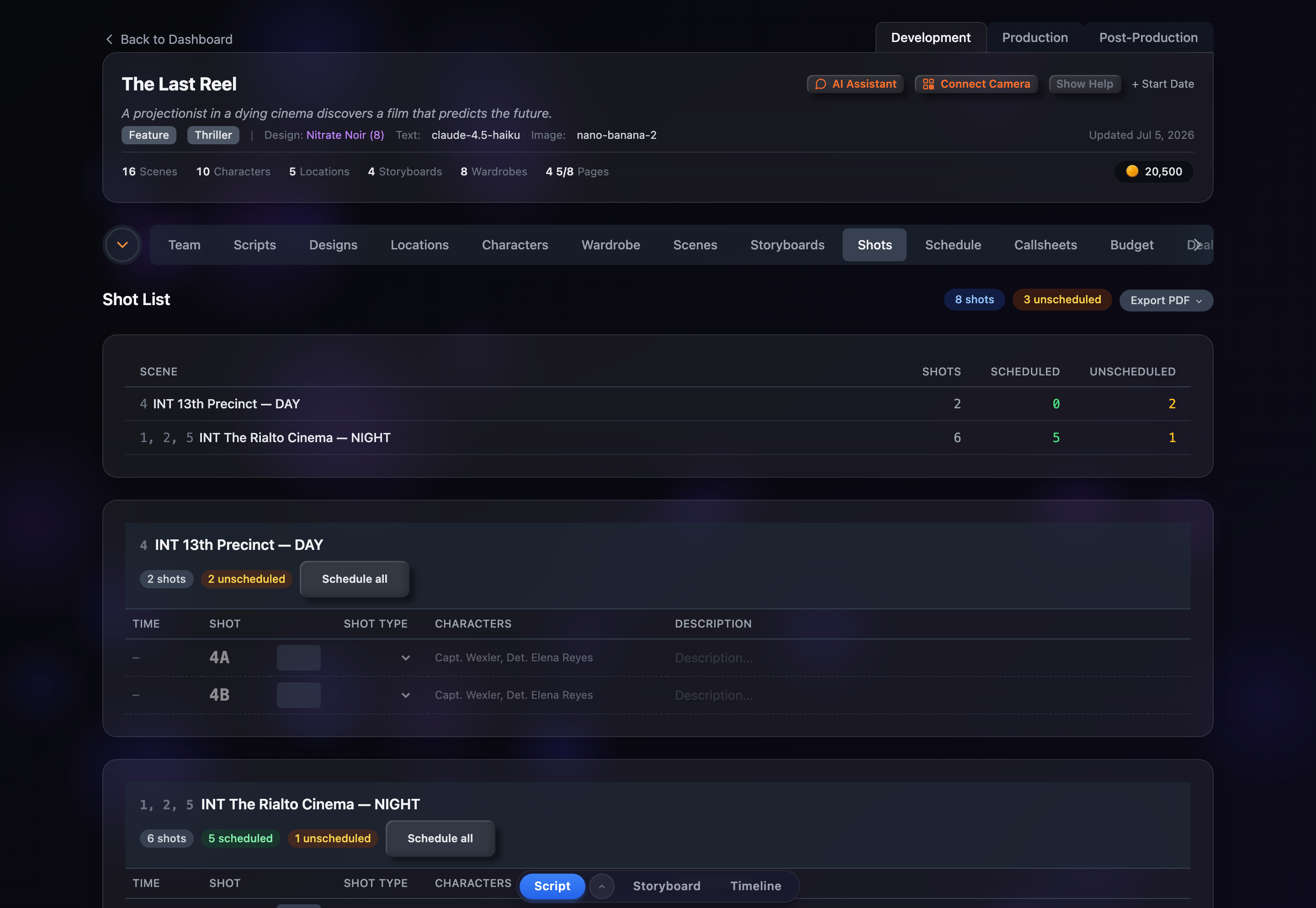
Each location card is a table with columns for Time, Shot (the label), a thumbnail, Shot Type, Characters, and Description, with a delete action on the far right. Drag the divider on the right edge of the Characters or Description header to resize those columns; your widths are remembered between visits. Hover over any thumbnail to pop out a large preview of the storyboard panel.
Editing Fields Inline
Two fields are editable directly in the shot list. Pick the Shot Type from the dropdown on each row, and click the Description cell to type into it. Changes save automatically in the background — there is no save button. The Characters column is filled in from the storyboard panel’s scene and isn’t edited here.
Shot Types
The shot-type dropdown offers twelve options, shown as short codes: WIDE, MED, CU, ECU, OTS, 2-SHOT, EST, INS, AERIAL, LOW, HIGH, and POV. Choose the em dash (—) option to clear a shot’s type.
Keyboard Shortcuts
While editing a shot type or description, the keyboard keeps you moving: Enter commits your edit and jumps to the same field on the next row, Escape cancels the current edit, and the Up / Down arrows move between rows without reaching for the mouse.
Drag to Reorder
Grab a shot by its row and drag it up or down to a new position within its location card — the other rows slide out of the way to show where it will land. Drop it, and the new order is saved. Shot labels re-derive and estimated times recalculate to match, so the numbering always stays correct.
Deleting and Restoring Shots
Hover a row to reveal a trash icon on the right. Clicking it asks you to confirm, then moves the shot to a struck-through list at the bottom of its card rather than erasing it. To bring one back, use the restore arrow next to the crossed-out row.