 cinemasetfree.com
Designs Overview
A Production Design bundles the visual and model choices for your project — a name, a style prompt, and the text, image, and video models used to generate content. Only one design is active at a time, and its style prompt automatically feeds into every portrait you generate for characters, locations, scenes, and wardrobes.
What Is a Production Design?
A Production Design is a named visual direction for your project. At its core, every design stores:
- Name — a short label for the design (e.g. “Noir Realism” or “Watercolor Storybook”).
- Style Prompt — the key field. This text describes the visual style and is automatically injected into every portrait generation so all images share a consistent look.
- Description — optional notes about the design’s intent, mood, or reference material.
Beyond those, a design also remembers the models and templates it should use — a text system prompt and text model, an image model with per-entity framing templates, and (on Pro) a video model and video prompt template. Those choices are edited on the design card’s tabbed editor and are covered in Creating & Managing.
One Active Design
Only one design can be active per project at any time. The active design is marked by a purple ring around its card and an “Active” badge. When you open a portrait for a character, location, scene, or wardrobe, the active design’s style prompt is automatically pulled in as a locked Style segment of the image prompt — no manual copy-pasting required.
Switching the active design changes the visual direction for all future generations. Previously generated images are not affected; they stay as they were when they were created.
Data Flow
Production Designs sit at the top of your project’s visual pipeline. Here is how a design flows into the rest of the system:
The Designs Tab
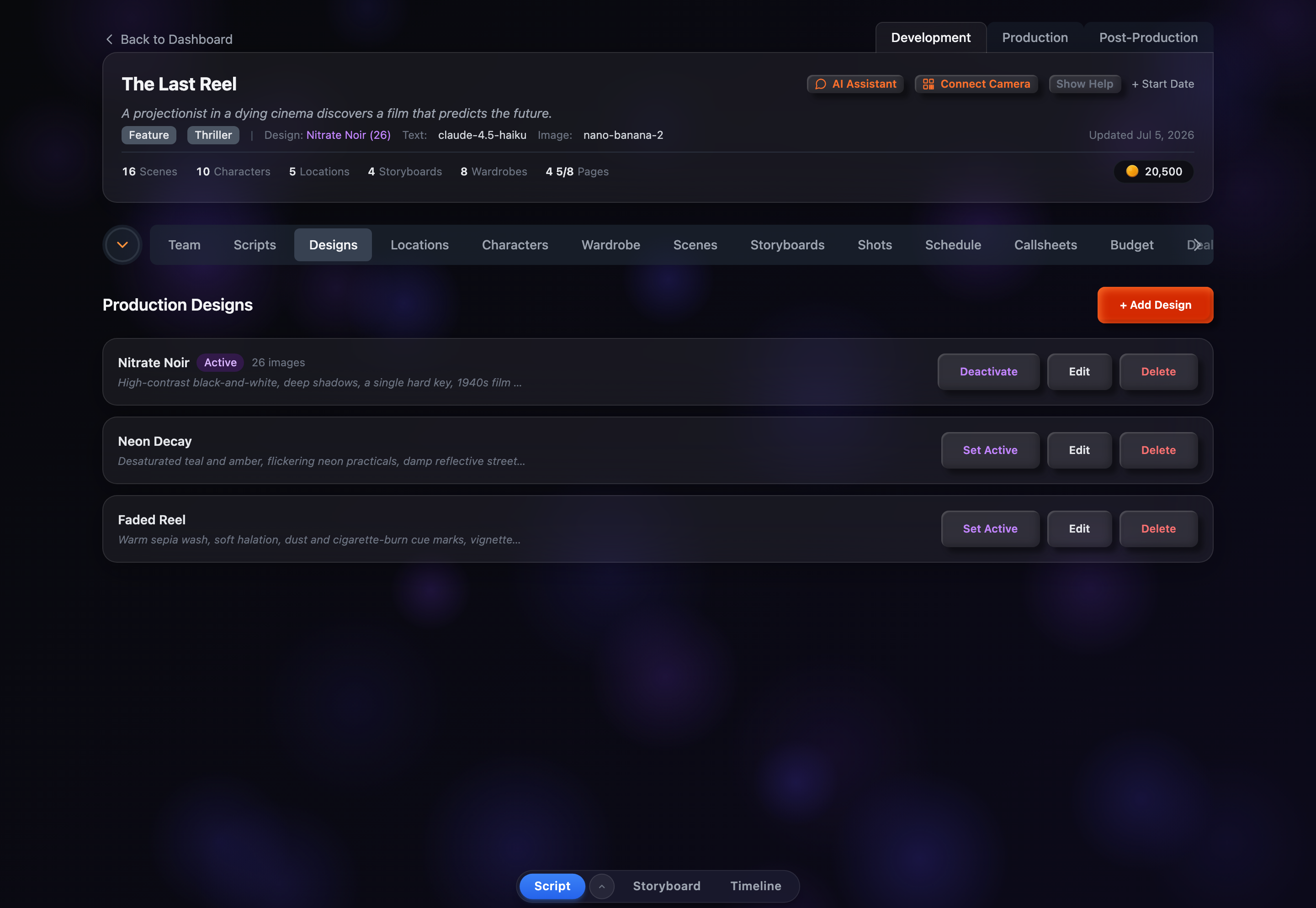
Open the Designs tab under a project’s Development section. It is headed Production Designs with a + Add Design button in the top-right corner. Before you create anything, the tab shows an empty-state prompt: “No production designs yet. Create one to define a visual style for your project.”
Once you add designs, each appears as a card showing the design name, an optional description, a preview of the style prompt, and — where relevant — the text model, prompt template, and a count of images generated under that design. The active design is highlighted with a purple ring and an “Active” badge, and each card carries Set Active, Edit, and Delete actions.