 cinemasetfree.com
Callsheets Overview
A callsheet is the daily plan you send to cast and crew for one shoot day — call times, the scenes you’re shooting, and the locations you’re shooting at. In CSF you don’t type it from scratch: each day’s callsheet is assembled automatically from your schedule, shot list, locations, and team. The Callsheets tab lists every shoot day, and from there you review a day, finish any missing details, and email it out as a PDF. Callsheets are a Production-stage feature.
What Is a Callsheet?
On a working set, the callsheet is the one page everybody checks the night before: when to arrive, where to go, which scenes are up, and who’s needed. CSF builds one per shoot day in your schedule. Each callsheet carries the day’s call times, the scenes scheduled for that day (with settings, page counts, and characters), the locations you’ll be at, and the cast and crew who receive it. Every callsheet starts life as a Draft and becomes Sent once you email it.
Where the Details Come From
You don’t fill a callsheet in by hand. It pulls together data you’ve already entered on other tabs:
Schedule
Each shoot day, its date, the crew/cast/on-set/first-shot call times, the scenes stripped onto that day, and any day notes come from the Schedule tab.
Shot List
The shots planned for a day come from the Shots tab. A day only becomes “ready” once it has shots assigned, and you can optionally attach the full shot list to the PDF.
Locations
Addresses, contacts, permit notes, and scouted nearby services (hospital, parking, and more) come from the Locations tab and appear on the day’s callsheet.
Team
Recipients are drawn from your Team — the cast and crew who have an email address. They’re who the callsheet gets emailed to when you send it.
The Callsheets Tab
Open the Callsheets tab in the Production stage and you’ll see one row per shoot day. Each row shows the day number, its date, a status badge (Draft or Sent), a short summary of the scenes and shot count, and a View button that opens that day’s callsheet. If you haven’t built a schedule yet, the tab is empty and points you to the Schedule tab to set your shoot days up first.
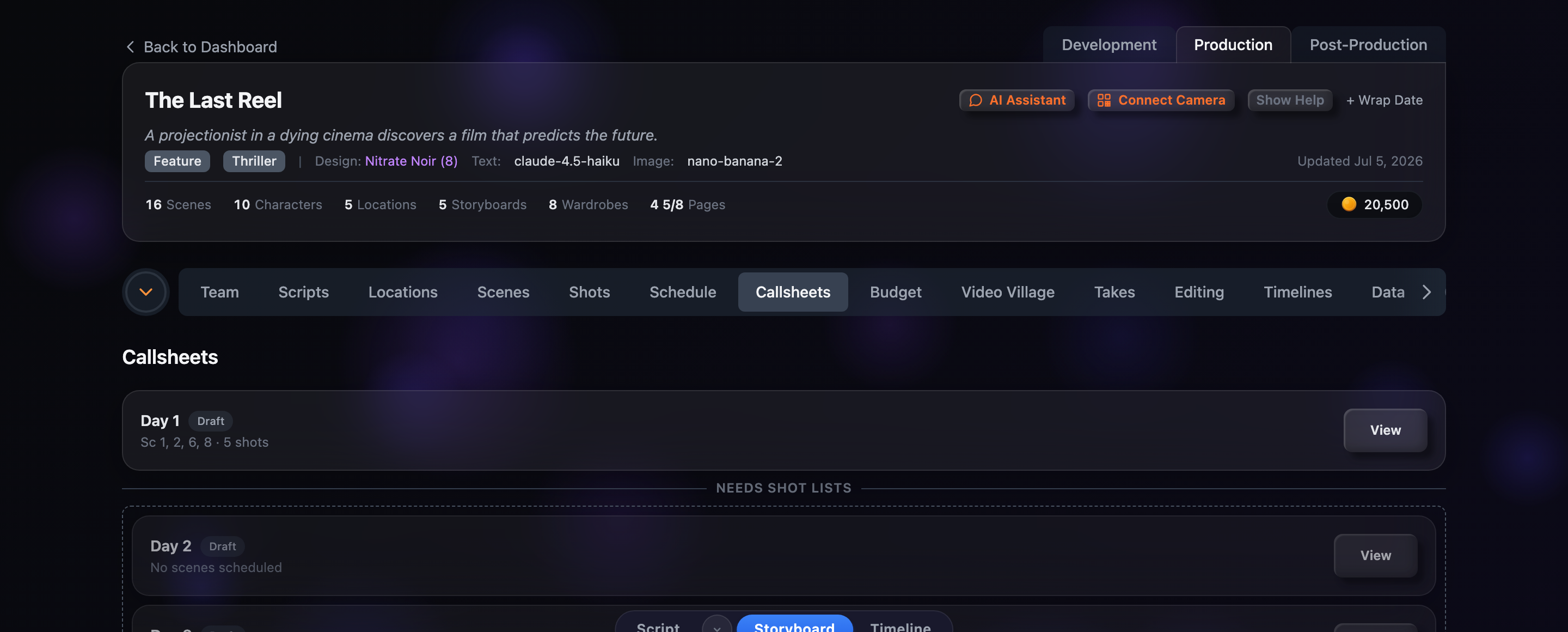
Ready vs. Needs Shot Lists
The tab sorts your days into two groups so you can see at a glance which callsheets can actually go out:
Status & Send History
Every day carries a status badge: Draft (gray) until it’s been emailed, then Sent (green). Once a callsheet has gone out, its row also shows a Last sent line with the date, time, and how many recipients received it — so you always know whether the current version reached the team.