 cinemasetfree.com
All Budgeting Guides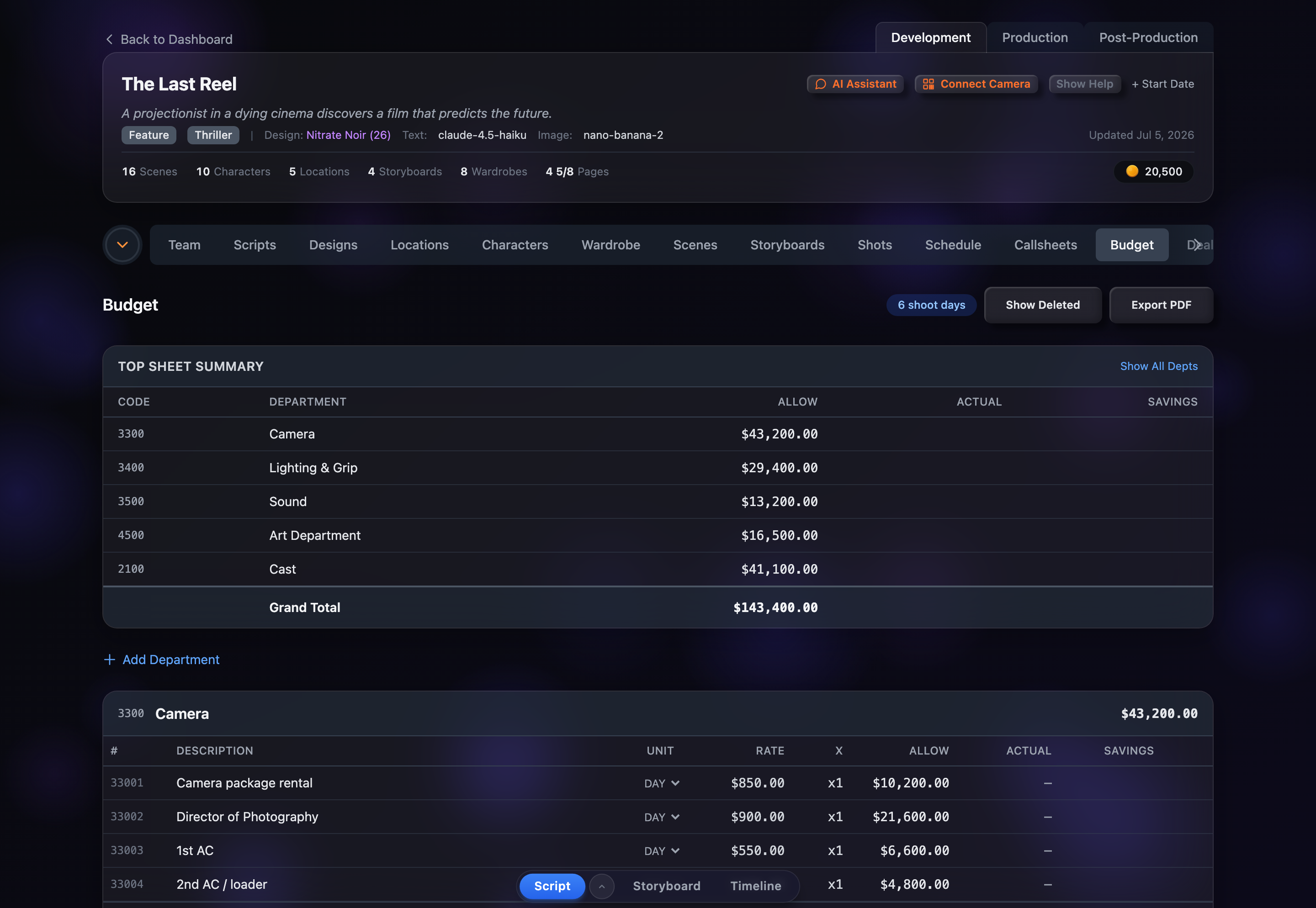
Exporting Your Budget
TL;DR — Click Export PDF in the Budget header to download a formatted document: a top-sheet page followed by a detail page for every department that has line items.
Exporting as PDF
- 1Open the Budget tab in your project.
- 2Click Export PDF in the header, to the right of the shoot-days badge.
- 3A PDF downloads automatically, named after your project and the date (for example the-last-reel-budget-2026-07-04.pdf).
What’s in the PDF
The document mirrors what’s on screen:
- Your project title and an export timestamp at the top of every page, with page numbers.
- A Budget Top Sheet page listing every department by Code, Department, Allow, Actual and Savings, ending in the Grand Total.
- A detail page for each department that has line items, listing every line with #, Description, Qty, Unit, Rate, ×, Allow, Actual and Savings, plus the department total.
Departments with no line items are shown on the top sheet but don’t get their own detail page. Deleted (soft-removed) line items are left out entirely.
Reviewing Before Export
A quick pass before you export keeps the PDF clean:
- Add any smart suggestions you still want in the budget — ghost rows aren’t line items yet, so they won’t appear in the PDF.
- Confirm your × multipliers still match your current schedule if shoot days have changed.
- Fill in Actual figures where you have them so the Actual and Savings columns tell the full story.
Tips for Budget Management
- Export at milestones — save a PDF snapshot after significant changes so you have a paper trail of budget revisions.
- Track actuals as you go — entering real costs turns the Savings column into an at-a-glance over/under report on both the screen and the export.
- Re-export after schedule changes — when shoot days shift, revisit the affected multipliers, then export a fresh copy.
- Share the PDF with producers, investors or financiers for approval and funding conversations.